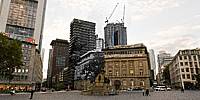

13 Years of History in a Single Panorama
Rossmarkt, Frankfurt am Main, Germany
September 19, 2011, 16:52 UTC (18:52 local time) / September 19, 1998

Loading panorama viewer ...
Configuring ...
© 2011 Jürgen Matern, All Rights Reserved.
Caption
Theme
After a discussion with a friend of mine I decided to realize an idea which took shape in my mind quite some time ago. I wanted to integrate a picture which shows a historic point in time in a panorama which shows the actual scenery.Making Of
First I had to find an image which showed a somewhat "historic" moment. And the location of the shot should be still accessible in order to take a panorama at the exact location of the historic shot.I found an image which shows the construction of the MAIN TOWER a skyscraper in Frankfurt/M. On top of the concrete skeleton you can clearly see the cranes which were used during the construction of the building.
The picture was taken on September 19, 1998. Thirteen years later this date fell exactly within the shooting-period of the WWP event "history". What a lucky coincidence :-) On September 12, 2011 I checked the location and tried to locate the exact shot of the first image. The spot was still accessible and so I decided to go give it a try.
On September 19, 2011 the weather was fine and I could do my four shots for the panorama. After some 15 minutes of positioning the tripod, checking the parallaxes in the image, repositioning and rechecking I finally was confident that I found the spot from 13 years ago.
At home I first stitched the panorama. With my custom-made lens bracket (see fig. 1) mounted on top of the tripod the stitching was a really "easy stitch".
I disabled all optimizations for the panorama and added the scanned black and white image from 13 years ago to the project (working in PTGui Pro). I set some handfull of control points and optimized the old image. Export was done with layers enabled.
Some final adjustments in Photoshop, manually choosing the blend seams between historic image and panorama and I was done.
The original black and white image and the current panorama (without the blended historic image) can be found at panotwins.de.
Equipment
For the panorama (September 19, 2011):
- Camera: Sony Alpha 900
- Lens: Sigma 10mm f/2.8 fisheye (lenshood shaved)
- Mounting: Custom-made lens bracket (see fig. 1) mounted on top of a tripod
- Software: Panotools, PTGui Pro, Smartblend, Photoshop CS5, Pano2VR
- 4 pictures @ 90° / ISO 100, zenith and nadir retouched manually
For the historical image (September 19, 1998):
- Camera: Leica mini 3
- Lens: Leica Summar 1:3,2/ 32mm
- Film: Ilford FP4+ / exposed and developed as ISO 200
- Mounting: hand-held
- Scan: with APS-C sensor sized DSLR / 12 MP
 Tap or click the zoom icon in the bottom right corner of the picture to switch between in-page and fullscreen view