
A Family of Panotwins (part 1)
Frankfurt am Main, Germany
June 24, 2011, 11:40–12:40 UTC (13:40–14:40 local time)

Loading panorama viewer ...
Configuring ...
© 2011 Jürgen Matern, All Rights Reserved.
Caption
Theme
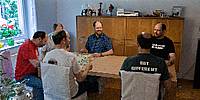
We are a big family of Panotwins ;-)Be sure to take a look at the second panorama of Panotwin Markus.
See the timelapse video of the shooting!
Making Of
The shooting was done with a custom-made lens bracket (see fig. 1) mounted on top of a tripod. A similar setup was placed on the table and used for the second panorama. The custom lens bracket allowed us to turn around the no-parallax point of the lens.As the lenses used were fisheye lenses, four pictures easily covered 360°. To be sure we took three exposures in each direction. The exposures were 2 f-stops apart. The best exposed set was chosen before stitching.
For each pair of twins we took a bracketed set of three images from each tripod. As the lighting changed over the shooting period (approx. one hour) I chose the best matching shot for blending.
I first stitched the sphere without the Panotwins. The resulting equirectangular image was used as an anchor for the seven additional shots of the Panotwins. For each pair of Panotwins I generated a separate layer, which was blended manually in Photoshop.
Location
Lat: 50° 6' 41.2" N
Long: 8° 40' 50.21" E
Elevation: 100
Precision is: Unknown / Undeclared.
Equipment
- Camera: Sony Alpha 900
- Lens: Sigma 10mm f/2.8 fisheye (lenshood shaved)
- Mounting: Custom-made lens bracket (see fig. 1) mounted on top of a tripod
- Software: Panotools, PTGui Pro, Smartblend, Photoshop CS5, Pano2VR
- 4 pictures @ 90° / ISO 400 for the "base" panorama
- 7 pictures / ISO 400 each pointed at a pair of Panotwins
 Tap or click the zoom icon in the bottom right corner of the picture to switch between in-page and fullscreen view